
Active Campaign Service
Active Campaign is a marketing manage tool that enable us sent email to clients. There are two API version are using in their system which are V1 and V2.
In our backend, Active Campaign SDK for .net core3.0 above still using v1 API. Main feature still provided by v1. However, some feature cannot found in v1, we have go to v2 restful API.
Here is the sample code for v1 API:
public async Task<ApiResult> CreateActiveCampaignContact(string email,string first_name, string last_name)
{
    var client = new ActiveCampaignClient(ActiveCampaignKey, ActiveCampaignBaseUrl);
    var result = client.ApiAsync("contact_add", new Dictionary<string, string>
        {
            {"email", email},
            {"first_name", first_name},
            {"last_name", last_name},
            {"p[3]", "1"},
            {"status[3]", "1"},
        });
    return await result;
}
If you have to use v2 API which is not supported by SDK, here is the sample code for v1 Restful API:
public async Task<JObject> GetActiveCampaignActivitiesByContactId(int id)
{

    var client = new ActiveCampaignClient(ActiveCampaignKey, ActiveCampaignBaseUrl);
    var active_campaign_id = await _context.Contacts.FirstOrDefaultAsync(i => i.Id == id);

    if (active_campaign_id != null)
    {

        var active_campaign_id_str = active_campaign_id.ActiveCampaignId.ToString();
        var parameters = new Dictionary<string, string>();
        parameters["contact"] = active_campaign_id_str;
        parameters["include"] = "notes,notes.user,reference,reference.campaign,reference.contactList,reference.contactList.list,reference.link,reference.list,reference.log,reference.log.campaign,reference.log.contact,reference.log.message.name,reference.message.name,reference.note";
        parameters["orders[tstamp]"] = "desc";
        parameters["limit"] = "100";
        var par = new FormUrlEncodedContent(parameters);

        var ActiveCampaignUrl = ActiveCampaignBaseUrl + "/api/3/activities?" + par.ReadAsStringAsync().Result;

        using (var httpClient = new HttpClient())
        {
            using (var request = new HttpRequestMessage(new HttpMethod("GET"), ActiveCampaignUrl))
            {

                request.Headers.Add("API-TOKEN", ActiveCampaignKey);
                request.Headers.TryAddWithoutValidation("Accept", "application/json");

                var response = await httpClient.SendAsync(request);


                //Console.WriteLine(response);
                string responseBody = await response.Content.ReadAsStringAsync();
                var result = JObject.Parse(responseBody);

                return result;
            }
        }

    }

    else return null;

}
Here is the tool that you can convert resrful api request (curl) to c#. curl to C# converter. Build httpClient send request to Extranal API.
CreateActiveCampaignContact
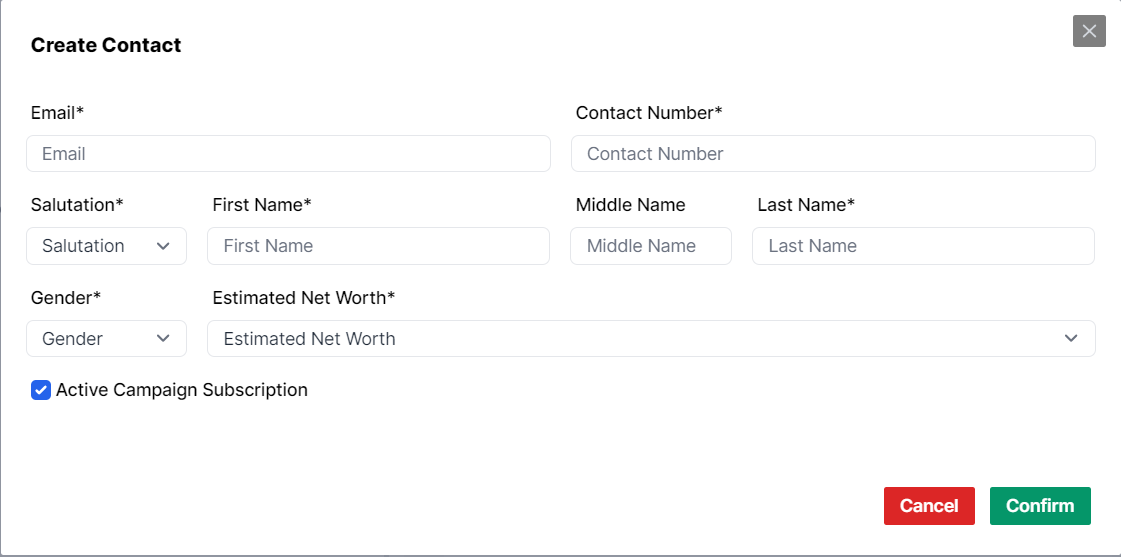
Create a now contact for ActiveCampaign, called when creating a new contact.
While creating the contact, checkbox is used for user to indicate if contact should be added to Active Campaign.
- Parameters:
- string
email - string
first_name - string
last_name
- string
UpdateActiveCampaignContact
Any Change on Email, First Name, Last Name will automaticly synced to Active Campaign Serve.
- Parameters:
- string
id - string
email - string
first_name - string
last_name
- string
GetActiveCampaignContactbyId
Check the contact subscribtion status. Just jump into the conatct info page.

- Parameters:
- string
active_campaign_id
- string
UnsubscribeActiveCampaign
If the conact is subscribed, click the button to unsubsribe.
- Parameters:
- int
id - string
reason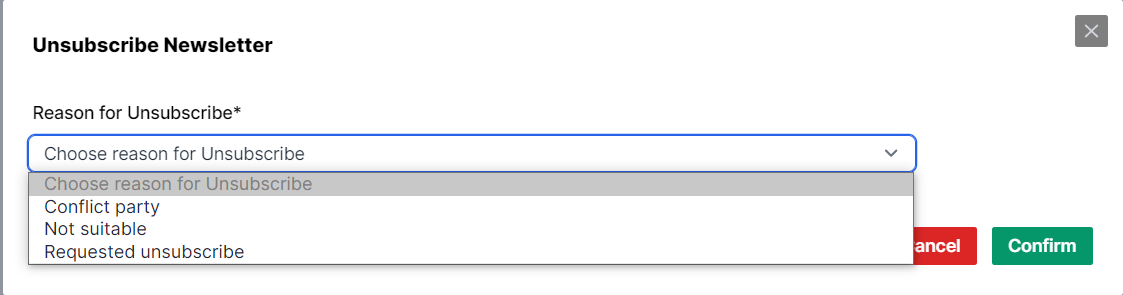
- int
AddActiveCampaigntagbyId
- Parameters:
- string
active_campaign_id - string
tags
- string
FetchActiveCampaignIdByEmail
- Parameters:
- string
email
- string
getActiveCampaignStatusbyContactId
- Parameters:
- int
id
- int
TESTActiveCampaignbyId
- Parameters:
- string
active_campaign_id
- string
GetActiveCampaignContactbyContactId
- Parameters:
- int
contact_id
- int
GetActiveCampaignActivitiesByContactId
Check Active Campaingn Activities, All recent activieties will shown on the list.
- Parameters:
- int
id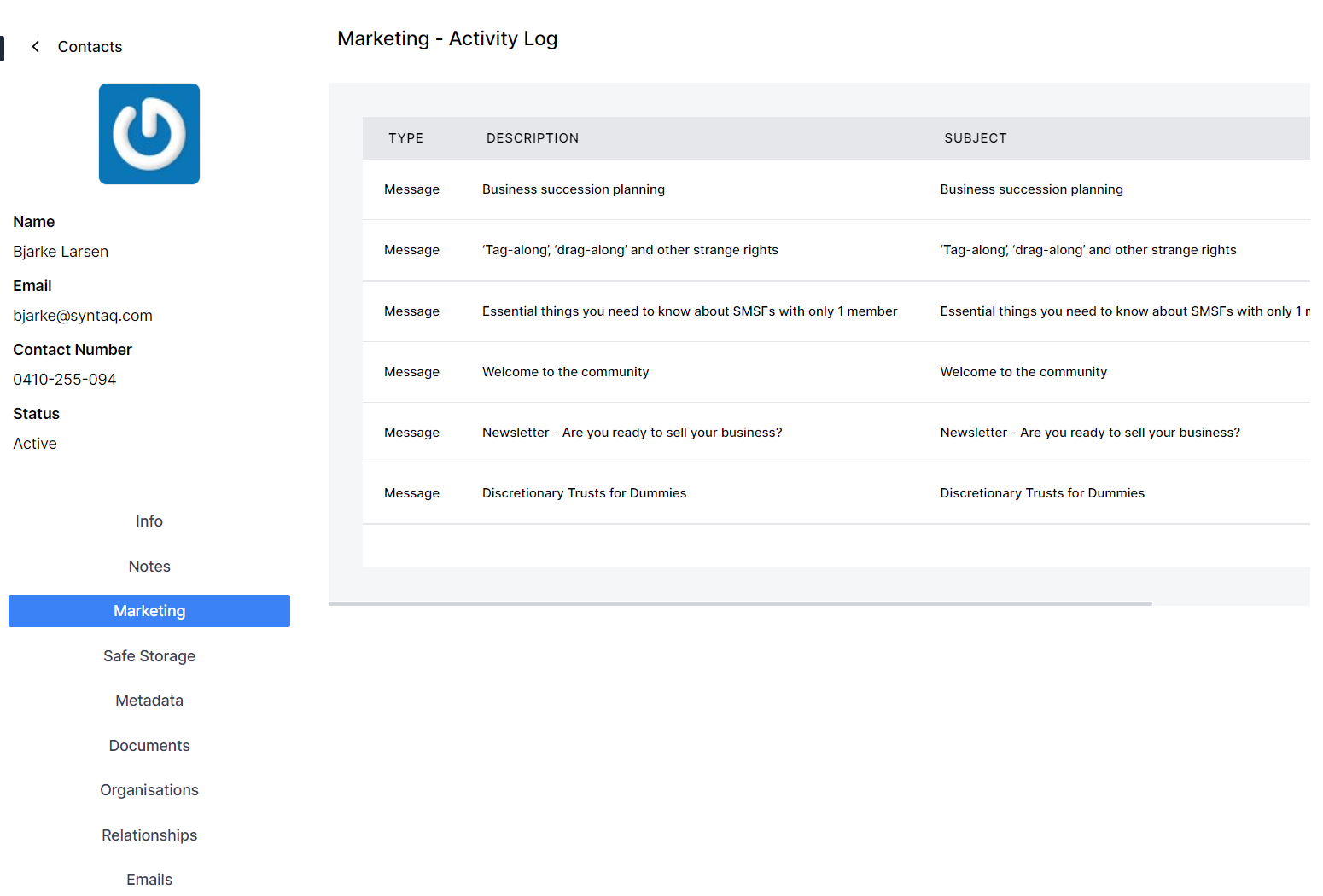
- int